Daily Sticky saves your stickers and notes locally, right on your device. That keeps things simple and private — no account, nothing uploaded to a server. That also means it's worth knowing your options for keeping that data safe: automatic backups, or manual Export and Import.
Back up automatically
The easiest option: Daily Sticky can back itself up on its own. Turn it on once in Settings, and from then on every sticker you place will be saved automatically in a small JSON file — no need to remember.
On supported devices, you’ll be able to choose exactly where those backups go. Point it at a folder that syncs to a cloud drive (like Google Drive or Dropbox), and your backups stay safe even if something happens to this device. On phones that don’t support choosing a folder, backups save straight to your downloads instead — still automatic, just without the folder choice.
One thing to know: your browser won’t let you pick your Desktop, Documents, Downloads, or home folder directly — choose (or create) a subfolder inside one of those instead.
Backups build up over time rather than overwriting each other, so you can always look back through them, or clean up old ones whenever you like.
Export your sticker journal
Prefer to do it yourself? Head to Settings and tap Export Backup to download a copy right now — save it to a cloud drive, email it to yourself, or just tuck it in a downloads folder.
A good time to export: before you clear your browser data, before switching devices or browsers, or just every so often for peace of mind.
Import your sticker journal
If something does happen to your data, or you want to move it to a different device, here’s how to restore it: go to Settings and tap Import Backup, then choose a previously saved JSON file to bring back your stickers and notes.
One thing to know: importing replaces what’s currently in the app with what’s in the file. If you’ve added stickers since your last export, export again first so you don’t lose them.
Because everything lives locally, backing up — automatic or manual — is also the only way to move your sticker journal from one device or browser to another. Basically: back up often, one way or another, and you’ll never lose a sticker.
What’s in a JSON backup
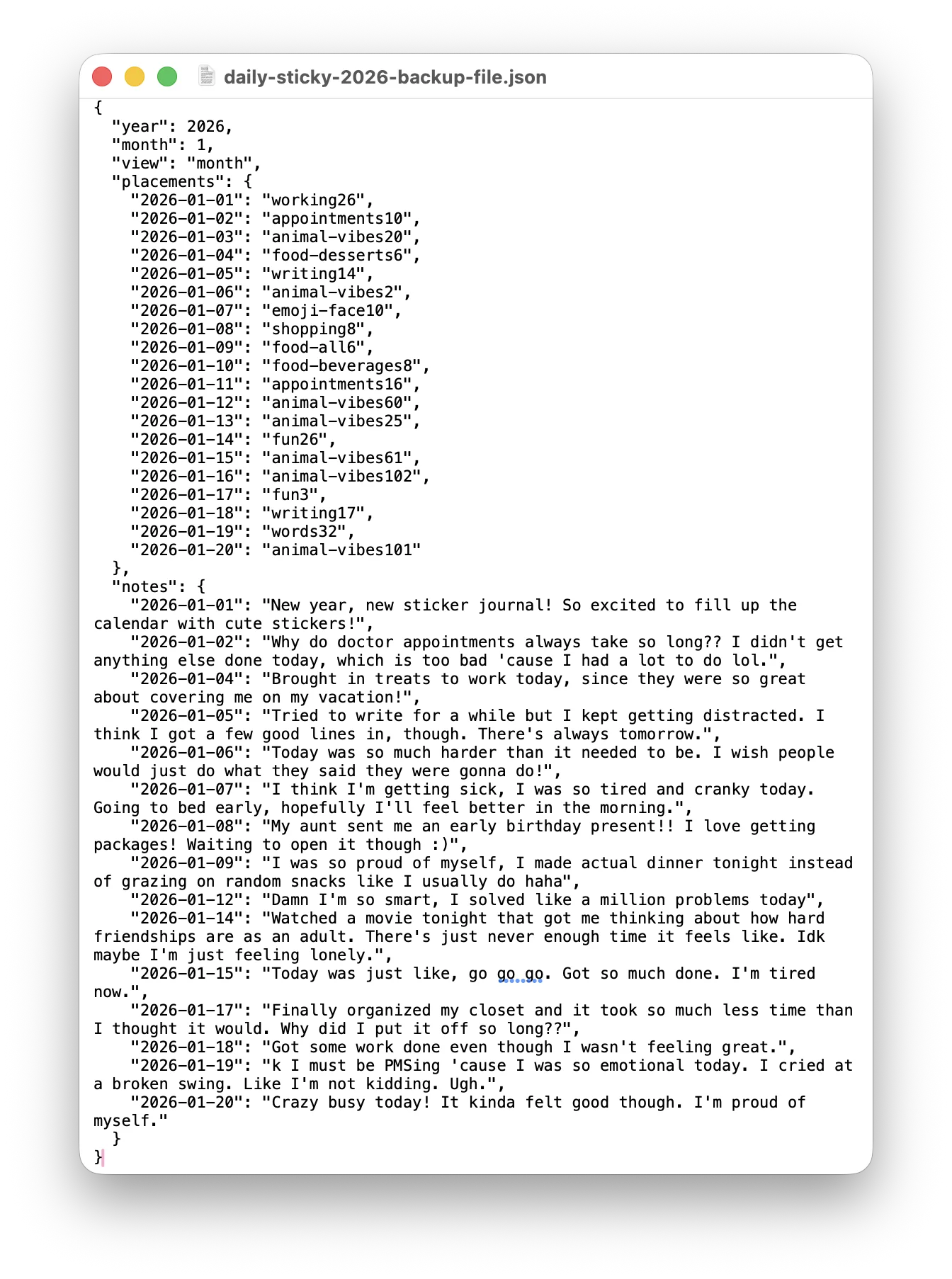
JSON might sound technical, but don’t let it scare you off — it’s really just a plain text file. Every backup, automatic or manual, stores two things: the notes you’ve written, and which sticker you picked for each day (just a short ID, not the picture itself). That’s all Daily Sticky needs to read it back and rebuild your calendar exactly the way you left it.
Looking for ways to show off your stickers instead of backing them up? Check out 3 Ways to Share Your Sticker Journal.